20260421.2 (EN)
Summary
This PDF provides an overview of the most important changes in this release.
- 📄 English
🚀 Highlights
Toolbar in Operational Planning
Documentation & Guides
-
🎬 Quick visual guide (GIF)
Open animation -
Detailed guide (English)
Download PDF
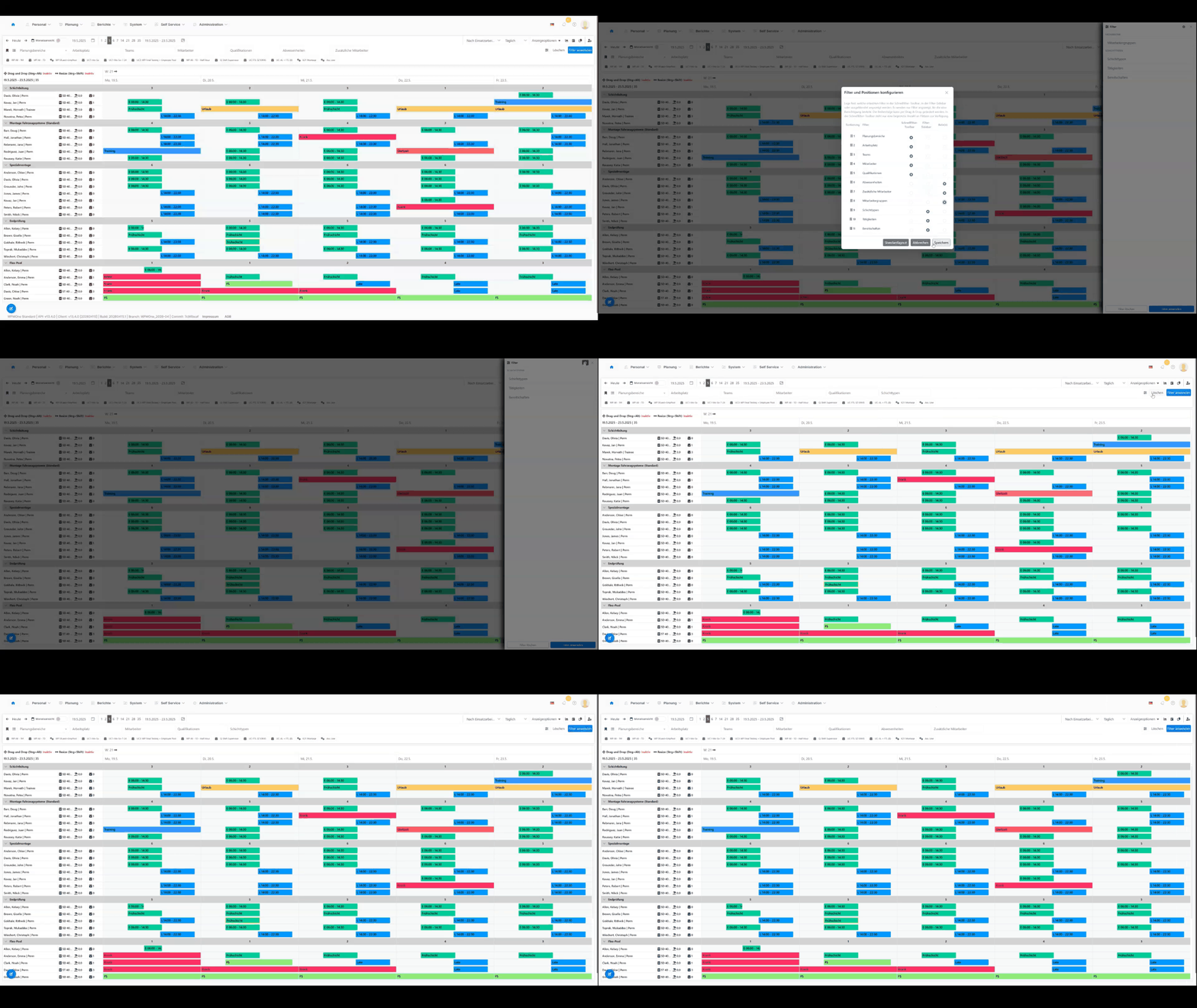
The toolbar has been completely redesigned to provide a clearer, more flexible, and user-friendly experience.
Key improvements
- clearer structure
- clean separation of functions, filters, and favorites
- more streamlined and less cluttered interface
New capabilities
- customizable filter configuration
- drag & drop ordering
- quick filters can be positioned more effectively
Quick filters
- 10 filter slots
- 1 slot for “clear filters”
- 1 slot for “apply filters”
Benefits
- improved overview
- faster navigation
- personalized workflow
Outlook
Future updates will allow customization of the default configuration.
New Features
Employee Self Service (ESS)
With this release, the open beta phase of the new Employee Self Service (ESS) begins.
ESS will replace the existing PSP and is fully integrated into WFM One.
The application follows a mobile-first approach and is optimized for smartphones and tablets, while still fully usable on desktop devices.
Access is available via the existing WFM One URL.
Activation
Please contact your administrator or support to enable access.
Available features in the beta
- Personal dashboard
- Own schedule
- Team view
- Submit requests
- Direct bookings
- Request overview (status & history)
- Personal profile
Permission note
All features can be enabled or disabled individually per user or role.
Feedback
Please report any issues or inconsistencies to your administrator or support team.
Bulk Actions in Employee Master Data
Bulk actions allow multiple employees to be edited in a single operation.
Available actions
- Set contract end date
- Change shift model
- Assign role
- Assign supervisor
- Add/remove teams
- Prepare or execute ESS registration
- Manage access groups
Benefits
- reduced manual effort
- faster processing
- consistent changes
- preview before execution
Improvements
Planning: Employee Additional Information
A new popup dialog "Employee Information" is now available directly within planning.
Included information
- Master data
- Qualifications
- Vacation data
- Contracts, teams, shifts
Behavior depending on permissions
1. Planning + Employee Master + Popup → popup with link
2. Planning without Employee Master → popup without link
3. Planning + Employee Master → direct navigation
4. Planning only → no click available
Employee Master: Personnel Number 1
New column "Personnel Number 1" added to the table, fully configurable.
Teams Definition Dialog Modernized
The dialog has been migrated to the new WFM One standard:
- more consistent UI
- better integration
- modernized usability
Display of Sent Messages
A new icon indicates whether a message (e.g., for vacation requests) has been sent.
Migration Dialog User Profiles
The permissions area has been technically and visually modernized.
Structure
- Tab 1: Permission Profiles
- Tab 2: User Profiles
Improvements
- display of unsaved changes per tab
- undo functionality with confirmation
- consistent status indicators
- unified user experience
Benefits
- better transparency
- increased safety
- consistent behavior
Workplace Colors in Scenarios
Workplace colors are now also available in scenario planning.
Employee Distribution Tab
New tab in the employee master data for analyzing assignment data.
Features
- flexible time range selection
- workplaces and utilization
- attendance/absence overview
- weekly distribution
- activities and on-call duties
Migration from PHR to WFM One
The dialogs Cost Center and Function Group have been migrated and modernized.
Simplified Date and Time Input
In the "New Assignment" dialog, values can now be entered without separators:
124→ 12/04/20261130→ 11:30
Bug Fixes
On-call Assignments from Models
Deleting is now possible.
Activities in Change View
Display issue has been fixed.
Demand Sorting
Sorting now correctly considers planning structure.
Team Mapping in Employee Master
Permission checks now work correctly.
Deleting Dispatch Assignments
Context menu deletion now works reliably.
KPI Working Hours
On-call hours are no longer incorrectly counted.
Contract End Highlighting
Highlighting now starts correctly after the contract end date.
Training Participants
Statuses are no longer overwritten and a new filter has been added.
Role Permission Dialog
Tabs are now displayed correctly.
Automatic Status Calculation
New logic:
- parent → children propagation
- children → parent calculation
- visual feedback (highlighting)
Training Display
Name and description are displayed correctly again.
Total Row Count
The total row is no longer included in the item count.